

Collect Earth Online (CEO) supports a range of imagery sources that enable interpreters to evaluate land cover and land-use change. In many projects, analysts rely on combinations of imagery sources such as Mapbox, Google Earth Engine, and Sentinel to provide visual context for plot interpretation.
Another useful source of high-resolution historical imagery is ESRI Wayback Imagery, which provides archived versions of the ArcGIS World Imagery basemap. Integrating this imagery into CEO can give interpreters additional temporal context when evaluating landscape change.
For projects focused on land cover validation, forest monitoring, restoration assessment, or land-use change detection, this additional imagery can help improve interpretation confidence.
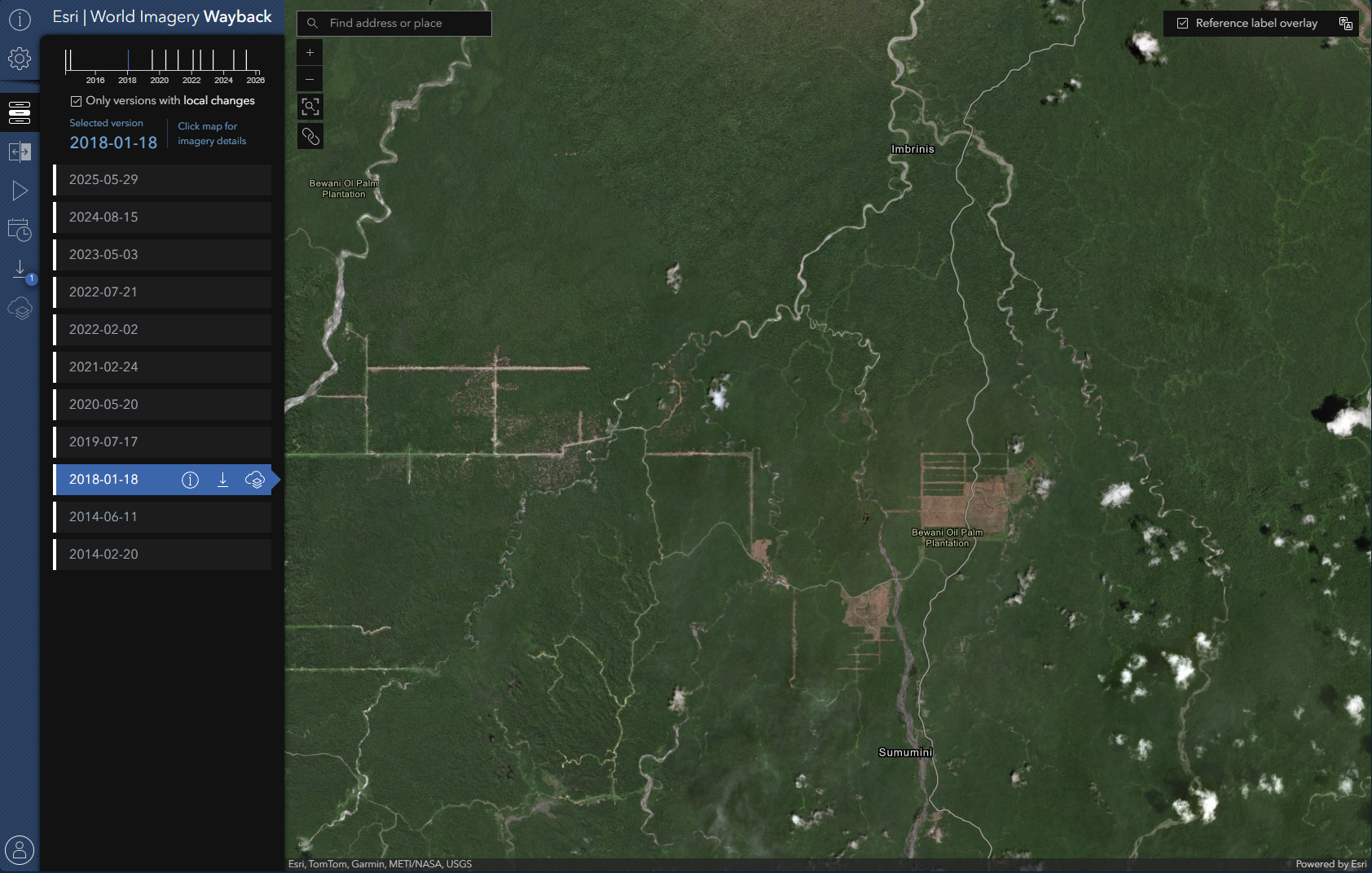
ESRI periodically updates the World Imagery basemap as new satellite and aerial data become available. Rather than simply replacing the existing imagery, ESRI preserves each release as part of the Wayback Imagery archive.
Each Wayback release represents the global imagery basemap at a specific moment in time. These archived layers allow users to examine earlier imagery versions and compare how areas have changed between updates.
⚠️ Important note on imagery dates:
The Wayback release dates reflect when imagery was added to ESRI’s basemap, not necessarily when the underlying imagery was originally captured. When exploring imagery in the Wayback app, clicking on a location will display metadata that includes the imagery source and capture date when available.
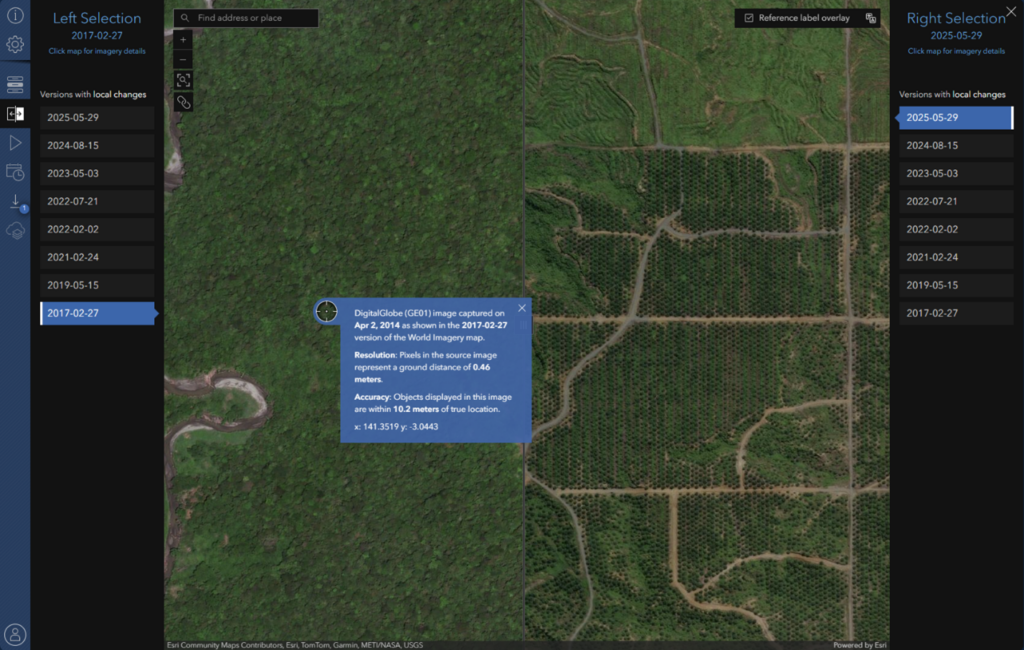
During plot interpretation, analysts often need to determine when a land cover transition occurred.
Access to additional imagery sources can help interpreters:
Wayback imagery can be particularly useful when other imagery sources are limited or when additional temporal context is needed.
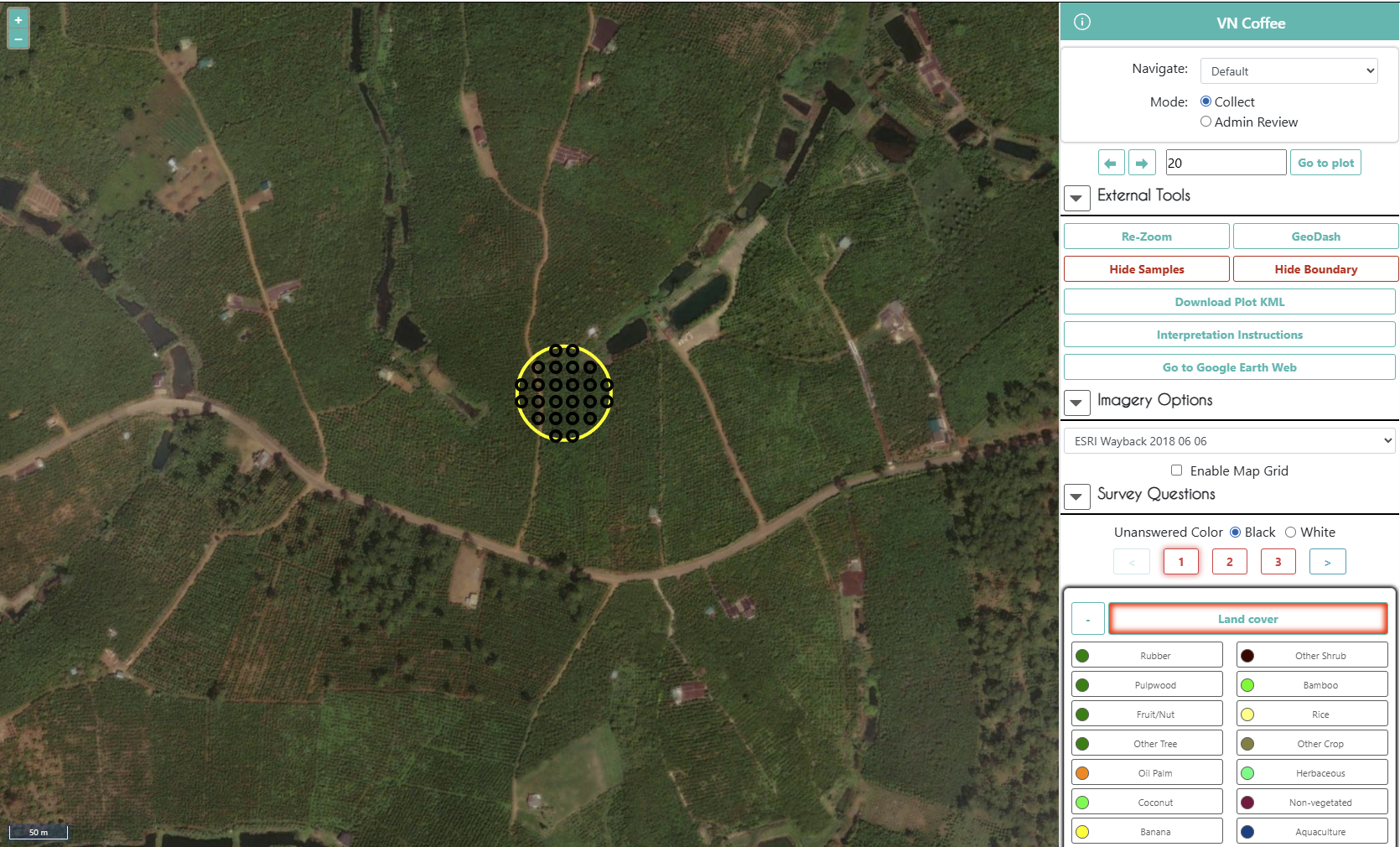
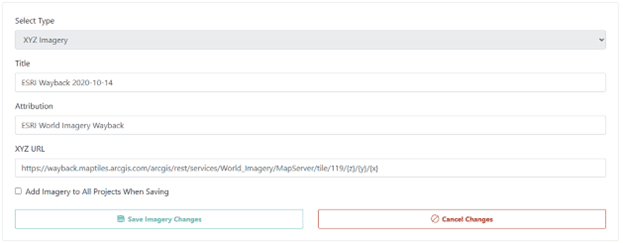
To use these dated layers inside CEO, you can add them as custom XYZ basemaps.
This will add the entire world layer, not just a single tile. Here’s how:

The imagery will now be available to use in your projects!
⚠️ Usage reminder:
When incorporating ESRI imagery into projects, be sure to follow ESRI’s terms and conditions for imagery use. This includes appropriate attribution and adherence to any licensing requirements associated with the imagery services.
A core strength of Collect Earth Online is its ability to bring together multiple imagery sources within a single interpretation workflow. Adding ESRI Wayback Imagery provides an additional historical reference that can support more informed interpretation decisions.
For projects that depend on accurate assessment of land-use and land-cover dynamics, expanding the imagery available to interpreters can improve both confidence and consistency in results.